Advertisements
Ragdoll Sandbox opens up a sandbox environment where you can freely explore multiple worlds, interact with objects, and observe surprising ragdoll movements.
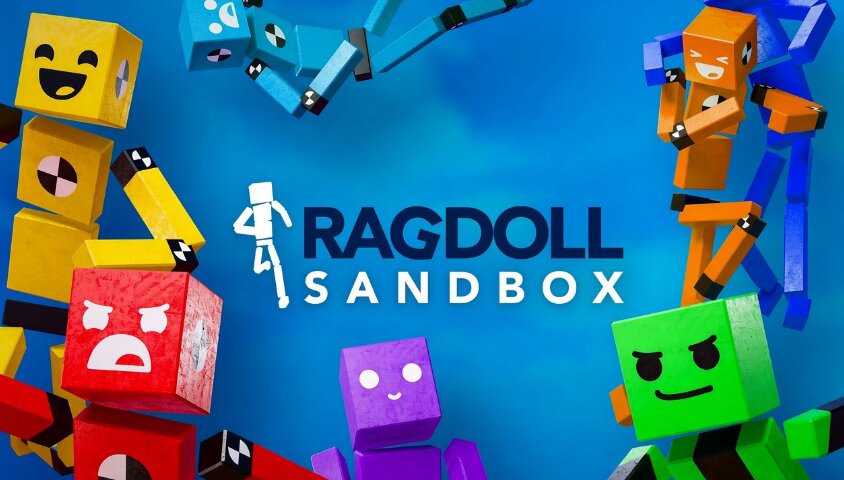
The appeal of Ragdoll Sandbox lies in how it encourages you to experiment on your own. You can choose any world, move around, observe the environment, and interact with the objects found within the level.
Ragdoll physics mechanics mean that any situation can unfold in various ways. Collisions, movements, or environmental interactions often create unpredictable moments, making exploration even more exciting.
Ragdoll Sandbox doesn't limit the experience to a single setting. The game's list of worlds covers various themes, each with unique environments and interaction styles, ensuring you always have something new to explore. Some notable worlds include:
| Game | Highlights |
|---|---|
| Death Run | Brings thrilling escape situations and dangerous challenges to overcome. |
| Pizza Monster Factory | A strange pizza monster factory filled with curious and unusual elements. |
| Launcher | Focuses on situations involving launching mechanics and movement. |
| Ragebait Game | A playful world filled with unexpected situations and surprises. |
| Ragblood | Features a distinctive ragdoll setting with its own challenges and scenarios. |
| Rain of Death | Creates a chaotic environment where dangers appear from above. |
| Wreck Land | A world built around destructive situations, collisions, and chaotic interactions. |
| Tower of Death | Takes place in a tower filled with challenges to overcome. |
This is just a sample of the worlds available in Ragdoll Sandbox. You can continue browsing the exploration section to find settings that match your preferences.
The control scheme in Ragdoll Sandbox is straightforward, making it easy to move, observe, and interact with the environment:
There is no single way to enjoy Ragdoll Sandbox. However, a few simple habits can help you discover more interesting content:
Explore the "Newest" section: New worlds can offer settings and gameplay styles that differ from the levels you are already familiar with.
Use filters: Filtering the list of worlds by category helps save time when searching.
Try various settings: Each world can create a unique ragdoll experience, so don't limit yourself to just one level.
Observe the environment: Surrounding objects can lead to unexpected interactions or situations.
Check the "Collection" section: This is a convenient place to revisit worlds you love or want to explore further.
If you want to continue exploring games that offer fresh experiences and plenty of surprises, you might want to try Blombo.io after playing this game.