Advertisements
Voxalike immerses you in the world of voice acting, allowing you to step into the roles of various characters and leave your own unique mark on scenes from films.
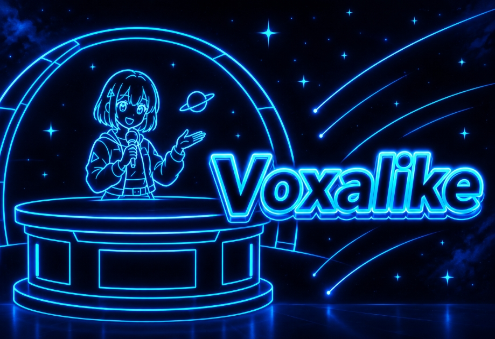
Below is a detailed summary of the core functions and game modes available directly from the Voxalike main menu interface:
| Menu Option | In-Game Function & Purpose | Player Experience & Utility |
|---|---|---|
| Single Player | Allows players to practice individual dubbing, selecting available Dub Packs to record custom voiceover lines independently[cite: 3]. | Offers a private, pressure-free creative space to test voice acting skills. |
| Multiplayer | Connects with friends or online players to collaborate and assign multi-character roles for complex dubbed scenes[cite: 3]. | Creates hilarious cooperative or competitive moments through shared performances. |
| Mods | Accesses the mod management interface to view, edit, build custom Dub Packs, or download user-created mods from the Workshop[cite: 3]. | Expands gameplay content endlessly through community-generated contributions. |
| Settings | Configures system options such as audio volume levels, microphone input hardware, screen resolution, and control keybindings[cite: 3]. | Optimizes recording audio quality and guarantees smooth visual performance. |
Explore the following step-by-step guide to master the voice-acting process, create "Dub Packs" from MP4 files, and share your mods with the Voxalike community:
Visit the Workshop to browse and select the scene (Dub Pack) you wish to perform. Each Dub Pack consists of a film scene broken down into individual lines of dialogue.
Record your voice: Choose your preferred game mode, then use a microphone to replace the original dialogue with your own voice.
Manage your mods: Easily review, customize, and organize your saved Dub Packs or "Judge Mods" directly through the Mods browser.
Open the Mod Maker: Access the built-in Mod Maker tool within the game. Drag and drop video files: Simply drag an MP4 video file from your computer into the Mod Maker interface to begin segmenting the dialogue and creating your own custom Dub Pack.
Access your profile: From the Voxalike home screen, click on your avatar in the top-right corner. Go to the Creator Workshop: Select "Creator Workshop" from the drop-down menu to upload your mod to the community and share it for other players to enjoy.